Machinedrum synthesis on emulated DSPs, as a plug-in
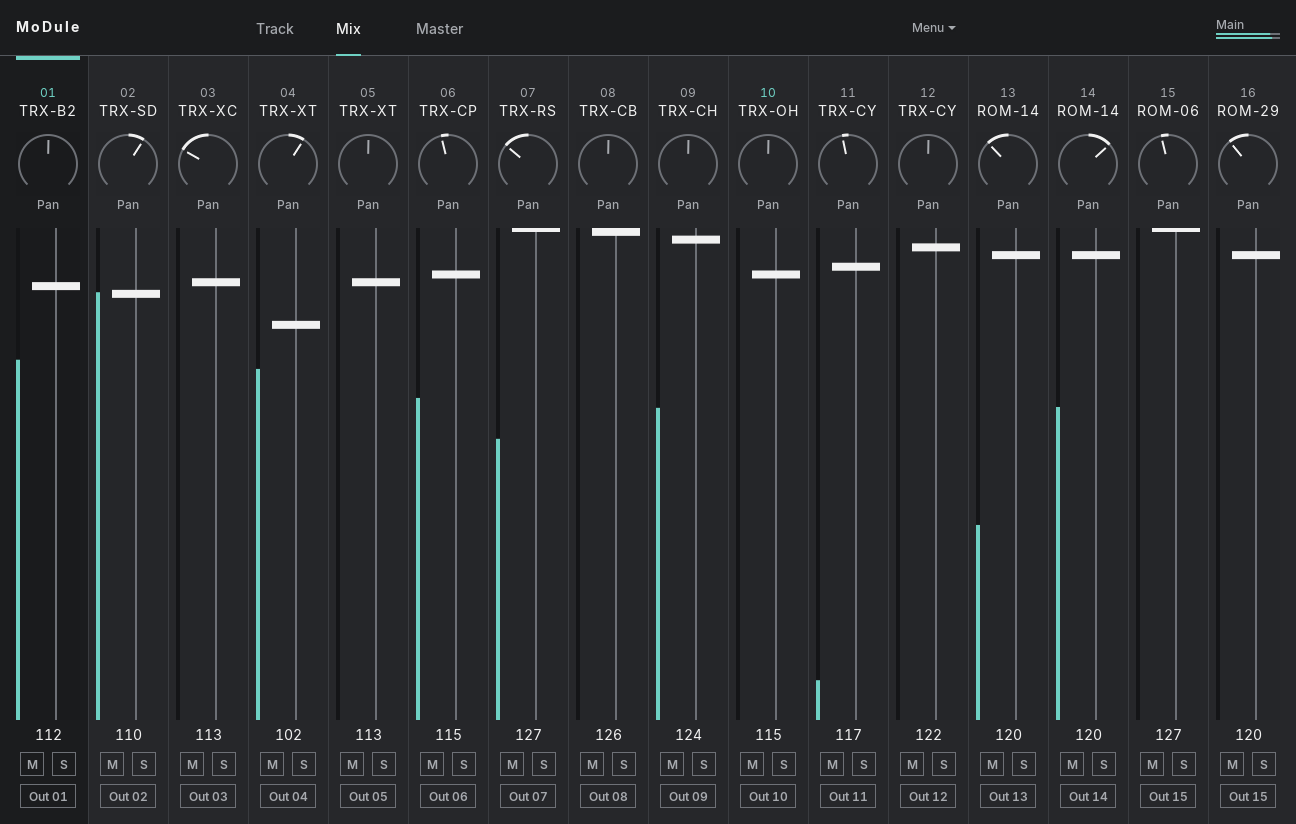
MoDule runs the code of the Elektron Machinedrum's OS 1.63 machines in any VST3 or AU host, with the voice DSP playing the 16 tracks and the mixer DSP the master effects. Your DAW sends the notes and can automate any of the 608 parameters, while one window edits the whole Kit the way Overbridge does.
You'll need your own Machinedrum UW firmware, the 8 MB flash image with OS 1.63; it doesn't come with MoDule. Why, and how to load it
Up to 0.1.1 it was called MD Drums: the same plug-in, and your sets, Kits and firmware carry over.
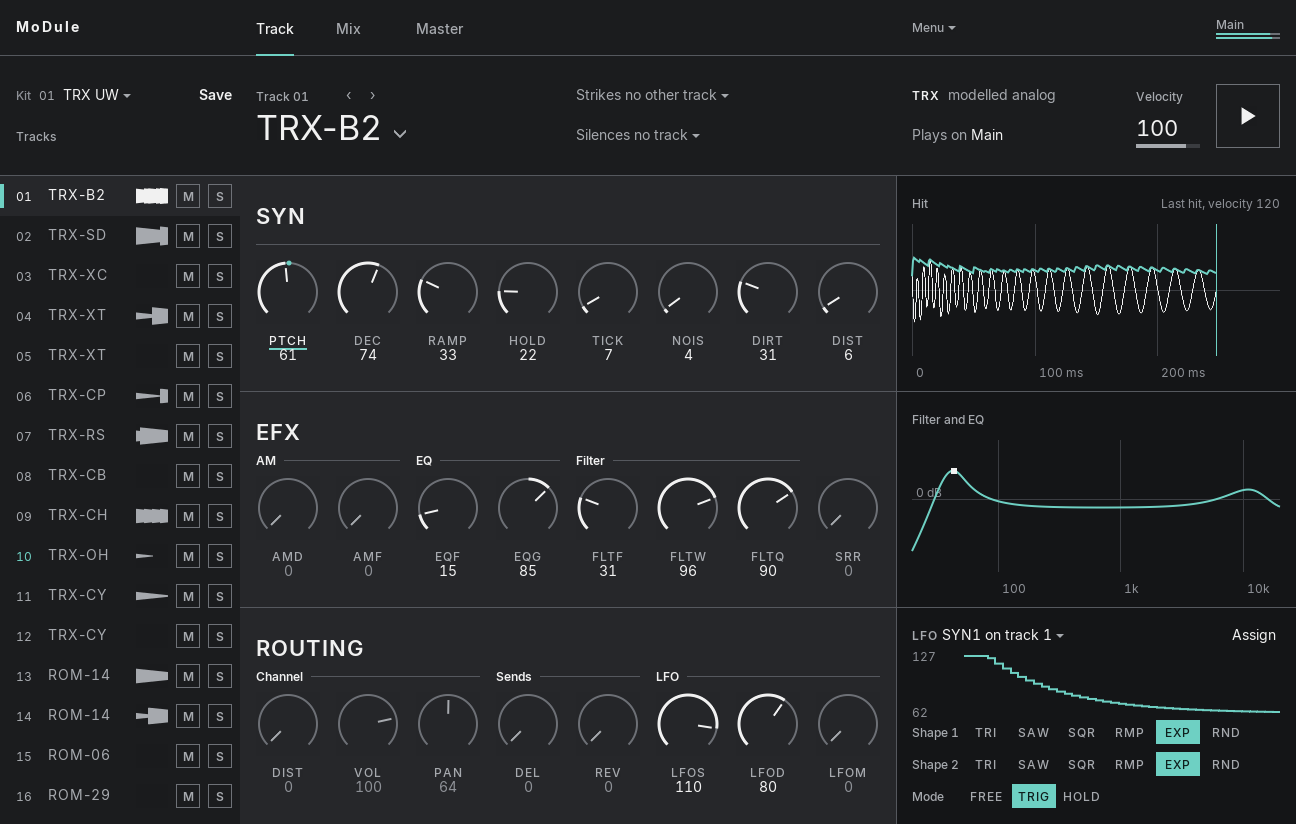
What you get
- 16 trackswith every machine OS 1.63 has; the ROM machines play the UW sample bank in your flash image.
- User Machinesfrom MDX X.20's MDS packages on any track: drums, synths, physical models, and NFX effects that hear the tracks you choose.
- Your own Samplesin WAV, AIFF or FLAC on any ROM machine, made as a Machinedrum UW makes them: drop them on the window.
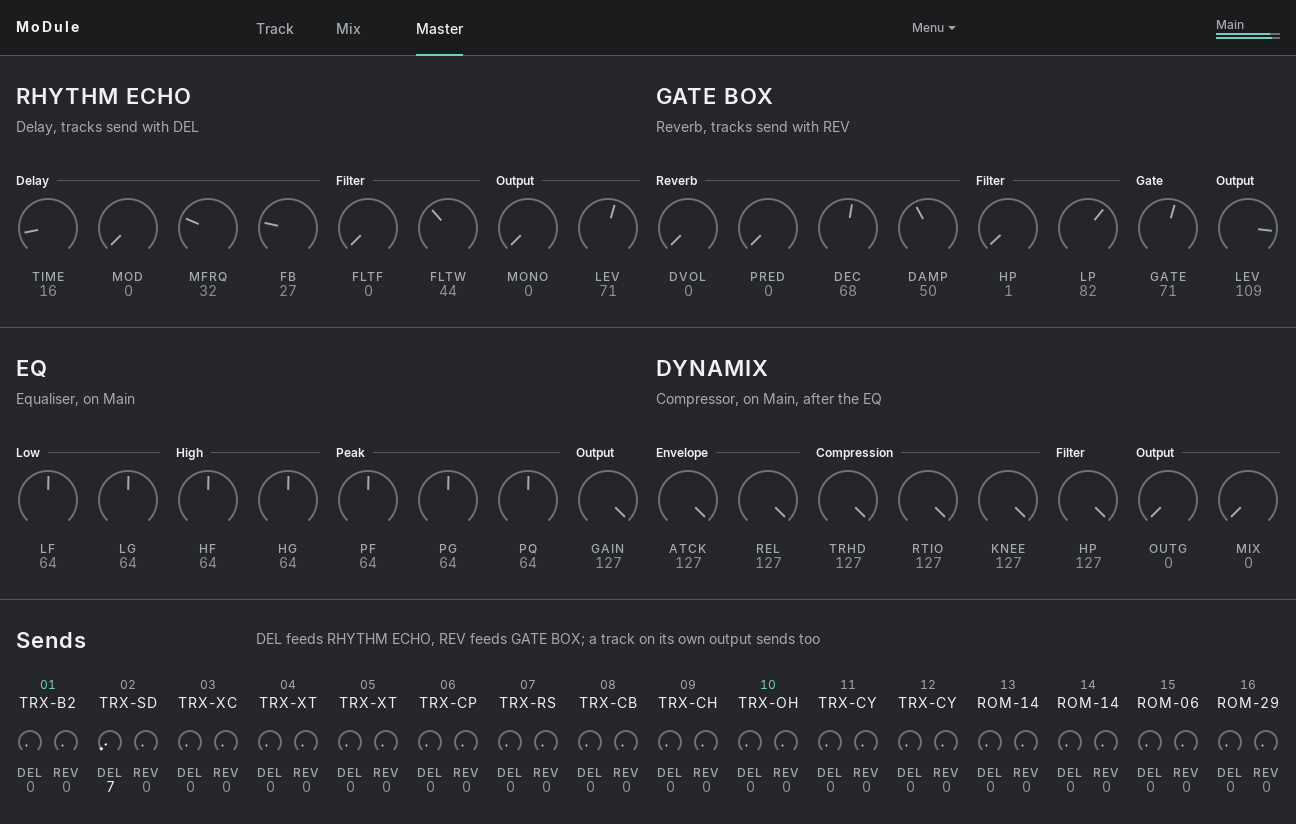
- The master effectsRhythm Echo, Gate Box, EQ and Dynamix, running on the mixer DSP's own code.
- An editorwith Track, Mix and Master tabs and a machine browser you can hear before you choose.
- Kitsin a bank of 64 slots that starts with the 16 factory Kits, reads and writes
.syxdumps, and remembers the User Machines each Kit plays. - 16 outputsMain, then Out 01 to Out 15; any track can go to any of them.
How it plays
- Notes 36 to 51play tracks 1 to 16 with their velocity, and every Hit lands 1.88 ms after its note, whatever the machine.
- Lockscome from notes 64 to 87: each sets one parameter for a single Hit, its velocity giving the value.
- Accent and Slideas the Machinedrum's sequencer plays them: note 88 accents a Hit, note 89 slides its Locks to the next Hit on your DAW's clock.
- Anti-clickas on X.20, off by default: a retriggered track fades out over 64 or 128 samples before its new Hit.
- Push 2gets a page of eight per track, or relays that follow whichever track the editor shows.
- 37 MB per instanceso that a set can hold many of them.
MoDule Seq

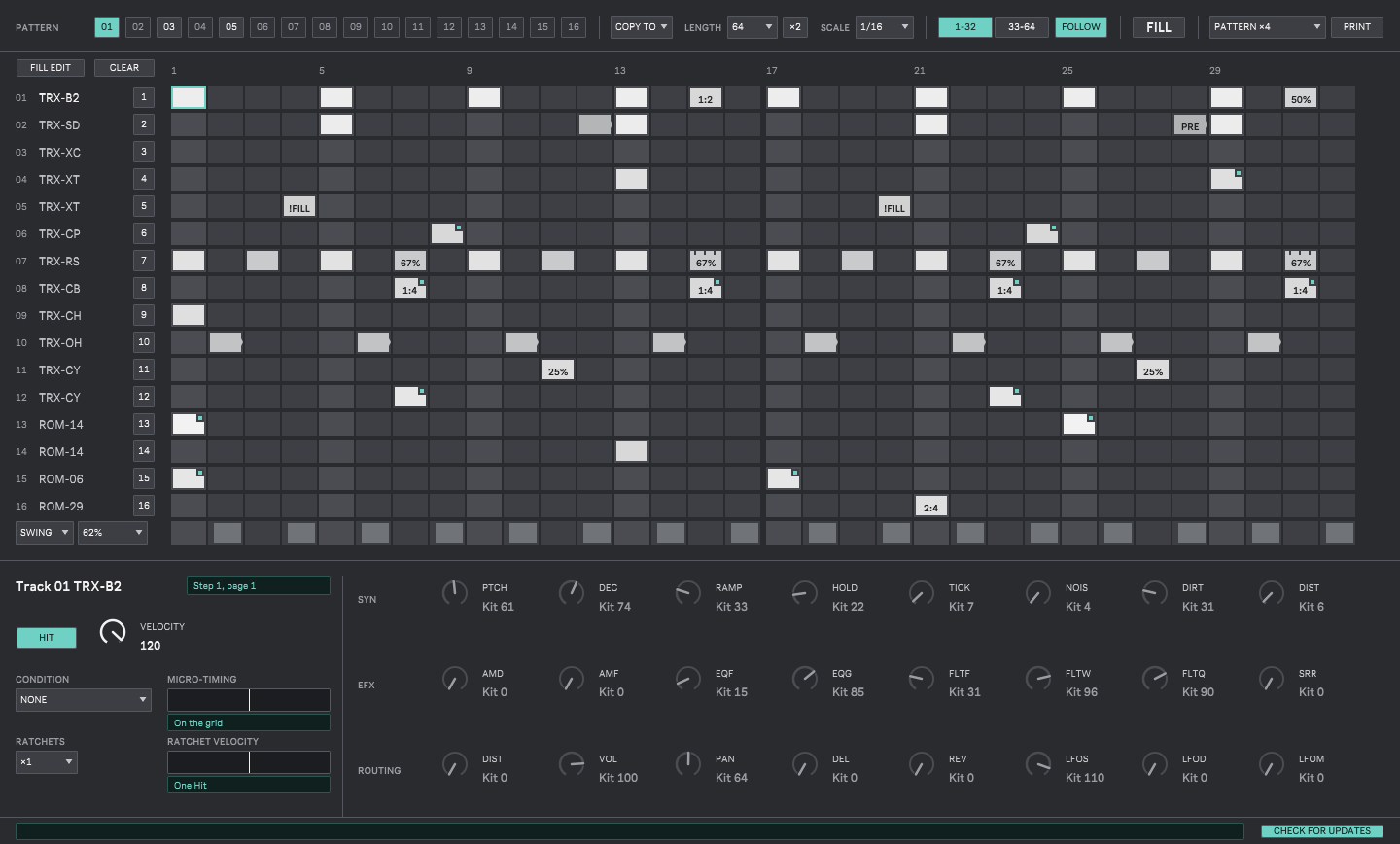
What MoDule Seq sequences
- 16 Patternsof 16 tracks and up to 64 steps, at scales from 1/8x to 2x, with swing.
- Every stepwith its velocity, Locks on all 24 parameters, a Condition (50%, 1:4, FILL, PRE, NEI...), up to 8 ratchets with a velocity curve, and micro-timing in 24ths of a step.
- Accent and Sliderows, the Machinedrum's way, which MoDule 0.1.2 or later plays.
- Tracks namedafter the machines your Kit puts on them, and Lock knobs that show the Kit's values.
How you play it
- Patterns and chainsA Pattern chosen follows at the end of the Pass; a chain plays up to 16 of them, one Pass each, round and round.
- Push 2shows the steps, tracks and Patterns on its pads, and a held step's Locks on its encoders.
- Print and Capturewrite a Pattern over 1 to 16 Passes, or what the device just played, into a Session clip per track.
- Clips onlyleaves those clips to play MoDule alone.
Download
Windows
Tested in Ableton Live 12 on Windows 11. The installer isn't signed, so SmartScreen may stop it once: here's what to click.
macOS
Untested. GitHub's macOS runner built it and signed it ad hoc, and nobody has heard it play on a Mac yet. Apple hasn't notarized it, so macOS blocks it once: here's how to let it through, Sequoia included.
MoDule Seq
A step sequencer for Live 12, written for MoDule: Locks, conditions, ratchets, micro-timing, swing, the Machinedrum's Accent and Slide, and chains over 16 Patterns, with each Track named after the machine your Kit puts on it. It plays from Push 2, prints a Pattern or captures what it played into clips. It needs Max for Live. macOS: built and tested by GitHub's runners, not yet tried on a Mac; reports are welcome.
The buttons point to the latest release on GitHub.
Install
Windows
- Run the installer. It isn't signed, so Windows SmartScreen may say it protected your PC: click More info, then Run anyway.
- Let it install; it puts
MoDule.vst3inC:\Program Files\Common Files\VST3\, where every VST3 host looks. - Rescan plug-ins in your DAW and load MoDule (c0remusic) on an instrument track.
With the zip instead, copy its MoDule.vst3 folder to that same place
yourself. Up to 0.1.1 the files are called MD Drums.
macOS
- Open the
.pkg. macOS refuses it the first time because Apple hasn't notarized it. - Open System Settings, then Privacy & Security, scroll down to the message about the package and click Open Anyway, then confirm with your password. On macOS 15 Sequoia this is the only way: right-click, Open no longer gets past it.
- Run the installer; it puts the VST3 and the AU in
/Library/Audio/Plug-Ins/. - Rescan plug-ins in your DAW and load MoDule (c0remusic).
With the zip instead, copy the bundles to ~/Library/Audio/Plug-Ins/VST3/ and
~/Library/Audio/Plug-Ins/Components/, then clear the quarantine flag in Terminal:
xattr -dr com.apple.quarantine ~/Library/Audio/Plug-Ins/VST3/MoDule.vst3
xattr -dr com.apple.quarantine ~/Library/Audio/Plug-Ins/Components/MoDule.component
MoDule Seq: unzip it and put its MoDule Seq folder in
Live's User Library, under Presets/MIDI Effects/Max MIDI Effect/, then restart Live. Put
MoDule Seq on a MIDI track in front of MoDule. Releases before 0.2.0 still say md-drums-seq: their
folder is md-drums-seq and the device MD Drums Seq; remove that folder when you install
0.2.0 or later, as Max loads only one of the two. On macOS, the engine isn't notarized by Apple: once, in
Terminal, run
xattr -dr com.apple.quarantine ~/Music/Ableton/User\ Library/Presets/MIDI\ Effects/Max\ MIDI\ Effect/MoDule\ Seq,
or the device's window stays empty.
.syx). Elektron owns it, so it doesn't ship with MoDule,
which is meant for people who own the hardware; please don't ask for the file.
Load MoDule, click No Machinedrum flash image: choose the file in its top bar (or right-click the editor and choose Load Machinedrum flash image...) and pick your file, whatever its name. MoDule checks it, plays at once and keeps a copy in its own folder, so it finds it on its own next time.